Samsung Galaxy SmartTag 2 (4-Pack) at Rs 4,299 on Flipkart — I Tracked Everything for 3 Months
I lose things. It's probably my most consistent personality trait. Keys, wallet, earbuds, my car key fob, that one jacket I left in an auto in Pune — the list is long and embarrassing. My wife has a running joke that if something goes missing in our house, it's probably in whatever pocket I was wearing yesterday. So when Bluetooth trackers became a thing, I was immediately interested. And slightly offended that they were invented specifically for people like me.
I bought the Samsung Galaxy SmartTag 2 four-pack from Flipkart about three months ago when it dropped to Rs 4,299 — that's 28% off the MRP of Rs 5,999. Works out to roughly Rs 1,075 per tag. I've been using all four tags on different items since then, and I've enough experience now to give you a proper, honest review. Not the "I unboxed it and it seems great!" kind of review, but the "I've actually lived with these things for months" kind.
What I Put the Tags On and Why
Four tags means four things to track. Here's how I distributed mine:
- Tag 1 — Keys: The obvious one. My house keys and office access card are on a keyring, and the SmartTag 2 clips right onto it. This is the tag I use most frequently because I misplace my keys inside the house at least twice a week. Usually they end up in random places — inside the fridge (yes, really, it happened once), in the bathroom, between sofa cushions, in jacket pockets, on the shoe rack.
- Tag 2 — Backpack: I have a backpack that I take to work and on trips. The tag sits clipped to an interior zipper. That is more of a "just in case" situation. If I ever leave my bag somewhere — in a cafe, at the airport, in a cab — the tag should help me find it.
- Tag 3 — Wallet: I slipped a SmartTag 2 into the card slot of my wallet. It barely fits — the tag is slightly thick for a wallet — but it works. I've lost my wallet three times in my life and the anxiety of that experience is something I would rather not repeat.
- Tag 4 — Car: I attached the last tag to my car keys. Actually, I originally put it in the car itself, hidden under the passenger seat, thinking it could work as a theft recovery device. More on how that went later.
The SmartThings Find Network — How It Actually Works in India
Here's the thing about Bluetooth trackers that most people don't fully understand. One tracker itself doesn't have GPS. That doesn't have a SIM card. All of it does not independently know where it's. What it does is emit a Bluetooth signal that can be picked up by other smartphones nearby. When another Samsung Galaxy phone passes within range of your SmartTag, it anonymously reports the tag's location back to Samsung's servers. You can then see that location in the SmartThings app on your phone.
This means the tracking accuracy depends entirely on how many Samsung Galaxy phones are around your lost item. In a crowded area — say MG Road in Bangalore, Connaught Place in Delhi, Marine Drive in Mumbai — there are Galaxy phones everywhere, and your tag will get frequent location updates. In a rural area or a quiet residential neighbourhood at 2 AM, there might be very few Galaxy phones around, and your tag's location might not update for hours.
I tested this in a few different scenarios. In my apartment complex in Whitefield, Bangalore, the tag on my keys always shows an accurate location within 5-10 minutes of me triggering a search. There are enough people in the complex with Samsung phones that the tag gets found quickly. When I left my backpack at a coffee shop in Indiranagar — on purpose, as a test, I sat across the street watching — the tag updated its location within about 3 minutes. In Indiranagar on a Saturday afternoon, there's no shortage of Galaxy phones in the vicinity.
But when my friend took a tag to his parents' house in a small town near Mysore, the tracking was much slower. It took over two hours for the tag to report its location, and when it did, the accuracy was within a 200-metre radius rather than the 10-50 metres I was getting in Bangalore. In rural India, the SmartThings network is just not dense enough for reliable real-time tracking. Keep this in mind if you plan to use these tags outside major cities.
UWB Precision Finding — The Best Feature
The SmartTag 2 has both Bluetooth and UWB (Ultra-Wideband), and the UWB feature is what really separates it from cheap Bluetooth trackers you can buy for Rs 500 on Amazon. When you're within about 10-15 metres of the tag, you can activate Precision Finding on your Galaxy phone. This uses the UWB chip in your phone and the tag to give you a real-time directional arrow and distance reading. It's like a hot-cold game on your phone screen — the arrow points you toward the tag, and the distance counts down as you get closer.
I've used this feature at least fifteen to twenty times in three months, mostly to find my keys. And it works really well indoors. I can stand in my living room, start Precision Finding, and the arrow points me toward the kitchen where I left my keys on the counter. As I walk toward the kitchen, the distance reading drops — 5 metres, 3 metres, 1 metre — and then the tag starts beeping when I'm very close. The beeping is loud enough to hear across a room, even with ambient noise.
Important caveat though — UWB Precision Finding only works on certain Samsung Galaxy phones. You need a Galaxy S21+ or newer with a UWB chip. The base Galaxy S21 doesn't have UWB, neither does the S21 FE or most A-series phones. Each S24 series all have UWB, the S23 Ultra has it, and so on. If your Samsung phone doesn't have UWB, you can still use the tag with basic Bluetooth tracking, but you lose the Precision Finding feature, which is honestly the best part.
The Design — Samsung Got It Right This Time
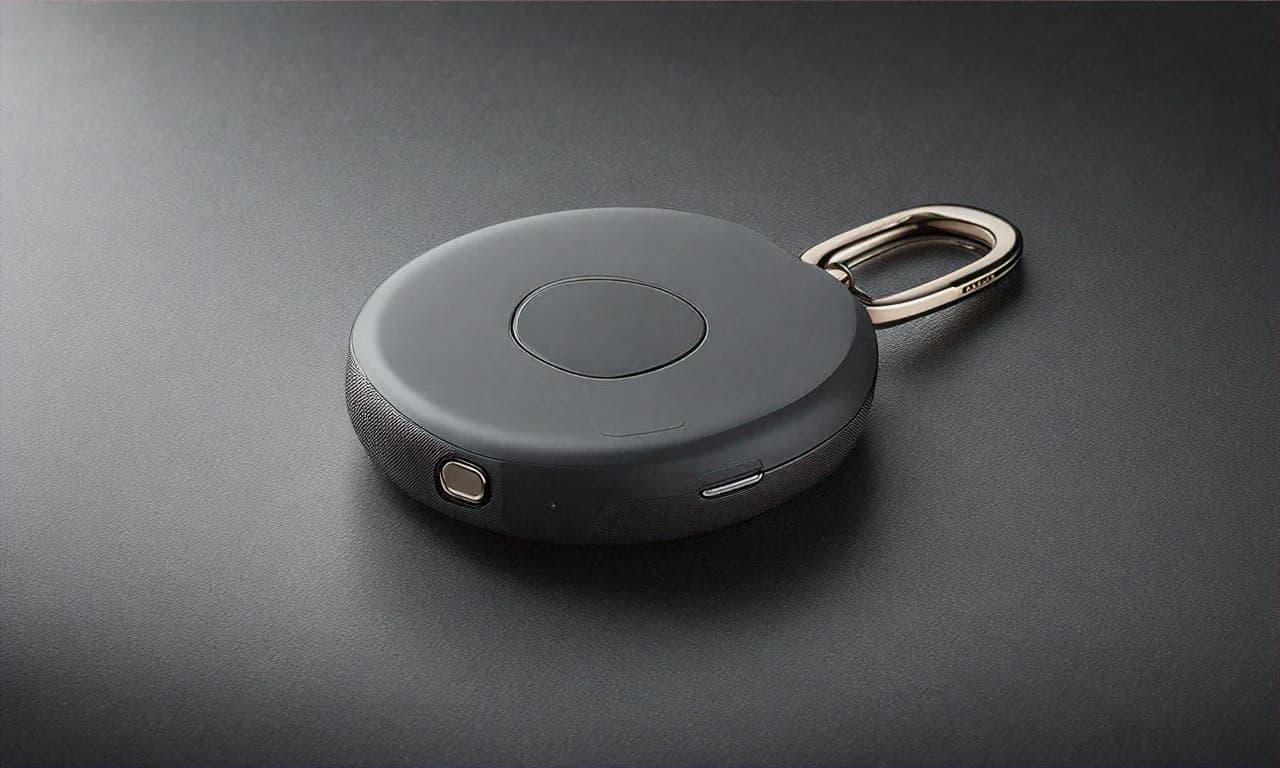
The original Samsung Galaxy SmartTag was a square-ish device that looked like a thick coin. It worked fine, but it didn't have a good way to attach to things. You needed a separate case or holder, which was annoying. Every SmartTag 2 fixes this completely. Something has a rounded, ring-like shape with a built-in hole that you can clip onto a keyring, carabiner, bag zipper, or even a pet collar.
The shape is comfortable and compact. Each tag weighs just 33.3 grams — you barely notice it on your keyring. My build is mostly plastic with a smooth, matte finish. It doesn't feel premium or luxurious, but it feels durable and well-made. After three months of being jostled around on my keyring and thrown into bags, the tag shows no signs of wear.
The IP67 water and dust resistance is a big deal for Indian conditions. During the monsoon season, my keys have gotten absolutely drenched multiple times. I once dropped them in a puddle outside a grocery store in the rain. Your SmartTag survived without any issues. IP67 means it can handle being submerged in up to 1 metre of water for 30 minutes. For everyday splashes, rain exposure, and accidental drops in water, you're covered.
I also want to mention the battery situation. The SmartTag 2 uses a CR2032 coin cell battery, which Samsung says lasts up to 500 days — that is about a year and four months. I'm three months in and the battery indicator in the SmartThings app still shows full. Its battery is user-replaceable, which means when it does run out, you just pop open the back, swap in a new CR2032 (costs Rs 50-80 at any local electronics shop), and you're good for another 500 days. No need to throw away the whole tag and buy a new one.
My Car Tracking Experiment — An Honest Failure
I mentioned earlier that I tried using one SmartTag 2 as a car tracker by hiding it under the passenger seat. My thinking was — if my car ever gets stolen, I can track it using the SmartTag. Sounds logical, right? Well, it doesn't really work like that, and I want to be upfront about this.
The problem is that the SmartTag relies on nearby Galaxy phones to report its location. A car thief is unlikely to have a Galaxy phone that connects to Samsung's SmartThings network. And even if other Galaxy phones are on the road nearby, a car moves fast. By the time a passing phone detects the tag and reports its location, the car has already moved further. You would get intermittent location pings, but not real-time tracking.
I tested this by having my wife drive around Bangalore with the tag in the car while I tracked from home. The location updates were delayed by 5-15 minutes and often showed the car at its previous location rather than its current one. In a real theft scenario, this lag would make it very difficult to actually recover the vehicle. For car theft prevention, you really need a dedicated GPS tracker with a SIM card — not a Bluetooth tracker.
So I moved the fourth tag to my car keys instead, which is a much better use for it. If I lose my car keys — which has happened more times than I care to admit — I can find them with Precision Finding. The tags are designed for finding lost items in proximity, not for real-time vehicle tracking over large distances.
SmartTag 2 vs Apple AirTag — The Comparison Everyone Wants
I get asked this a lot because I've friends with iPhones who use AirTags. Here's my honest comparison based on using both systems — I've tested my friend's AirTag setup as well.
The Apple AirTag has a significantly larger finding network because there are over a billion Apple devices worldwide participating in Find My. Samsung's SmartThings Find network is large — hundreds of millions of Galaxy devices — but not quite as large as Apple's. In practical terms, this means AirTags tend to get faster location updates in more places, including smaller towns and less crowded areas. In major Indian cities, the difference isn't as noticeable because both networks have good coverage.
However, the SmartTag 2 has a design advantage. The built-in ring means you can attach it to things immediately without buying a separate holder. AirTags are smooth little discs with no attachment point — you HAVE to buy a keyring holder or case separately, which costs another Rs 500-1,000. One AirTag 4-Pack is Rs 9,999 on Amazon India. A SmartTag 2 4-Pack is Rs 4,299 on Flipkart. That is a huge price difference. Even adding holder costs for AirTags, the SmartTag is significantly cheaper.
The SmartTag 2 also has a longer Bluetooth range — up to 120 metres versus AirTag's 10-15 metres. In practice, I've never been 120 metres away trying to find my keys, so this spec matters more in theory than in daily use. Both tags have similar UWB-based Precision Finding features, and both work well for close-range directional finding.
Bottom line — if you use a Samsung Galaxy phone, get SmartTags. If you use an iPhone, get AirTags. Don't cross platforms. An AirTag with a Samsung phone gives you very limited functionality, and a SmartTag with an iPhone gives you essentially nothing. These trackers are designed to work within their own device families.
Flipkart Offers and Value Assessment
The 4-Pack at Rs 4,299 works out to about Rs 1,075 per tag. Buying individual SmartTag 2 units on Flipkart costs about Rs 1,999 each at MRP, or around Rs 1,400-1,500 on sale. So the 4-Pack gives you a significant per-unit saving. If you think you need at least 3 tags, the 4-Pack is clearly the better value — you essentially get the fourth tag for a very low incremental cost.
Flipkart Axis Bank credit card holders get 5% unlimited cashback, which brings the price to about Rs 4,084. Other bank offers vary — check the Flipkart product page for current deals. During the Big Billion Days sale, I've seen this 4-Pack go as low as Rs 3,799, but that sale happens once a year around Dussehra-Diwali time. The current Rs 4,299 is a good price any time of the year.
One thing I want to flag — make sure you're buying the SmartTag 2 (second generation) and not the original SmartTag on Flipkart. The original SmartTag doesn't have UWB and has an inferior design without the ring clip. Some third-party sellers list the original SmartTag with confusing product titles that make it sound like the SmartTag 2. Check the model number — the SmartTag 2 is EI-T5600, the original SmartTag is EI-T5300.
Three Months Later — Do I Actually Use Them?
Yes. Legitimately, yes. The key finder alone has saved me probably 30-40 minutes over the last three months of not wandering around my apartment going "where the hell are my keys." I press the button in the SmartThings app, the tag on my keyring starts beeping, and I walk toward the sound. Found. Done. Takes about 15 seconds instead of the 5-10 minute frantic search I used to go through.
The backpack tag has been useful twice — once when I really forgot my bag at a restaurant and the SmartThings app showed me its last known location, and once when my wife moved my bag from the living room to the bedroom and I couldn't find it. Not exactly a dramatic rescue mission, but useful nonetheless.
The wallet tag, honestly, I've not needed yet. But that's the thing about tracking tags — they're insurance. You buy them hoping you won't need them, but when you do, they're worth many times their price. If my wallet goes missing in a crowded market during Durga Puja in Kolkata or Ganesh Chaturthi in Mumbai, that Rs 1,075 tag might help me recover a wallet with cards and cash worth far more.
For Samsung Galaxy phone users, the SmartTag 2 4-Pack is one of those accessories that just makes sense. It's affordable, practical, well-designed, and solves a real problem that most of us deal with. At Rs 4,299 on Flipkart, I'd buy it again without hesitation. Just don't expect it to work as a car tracker — I learned that the slightly embarrassing way.


