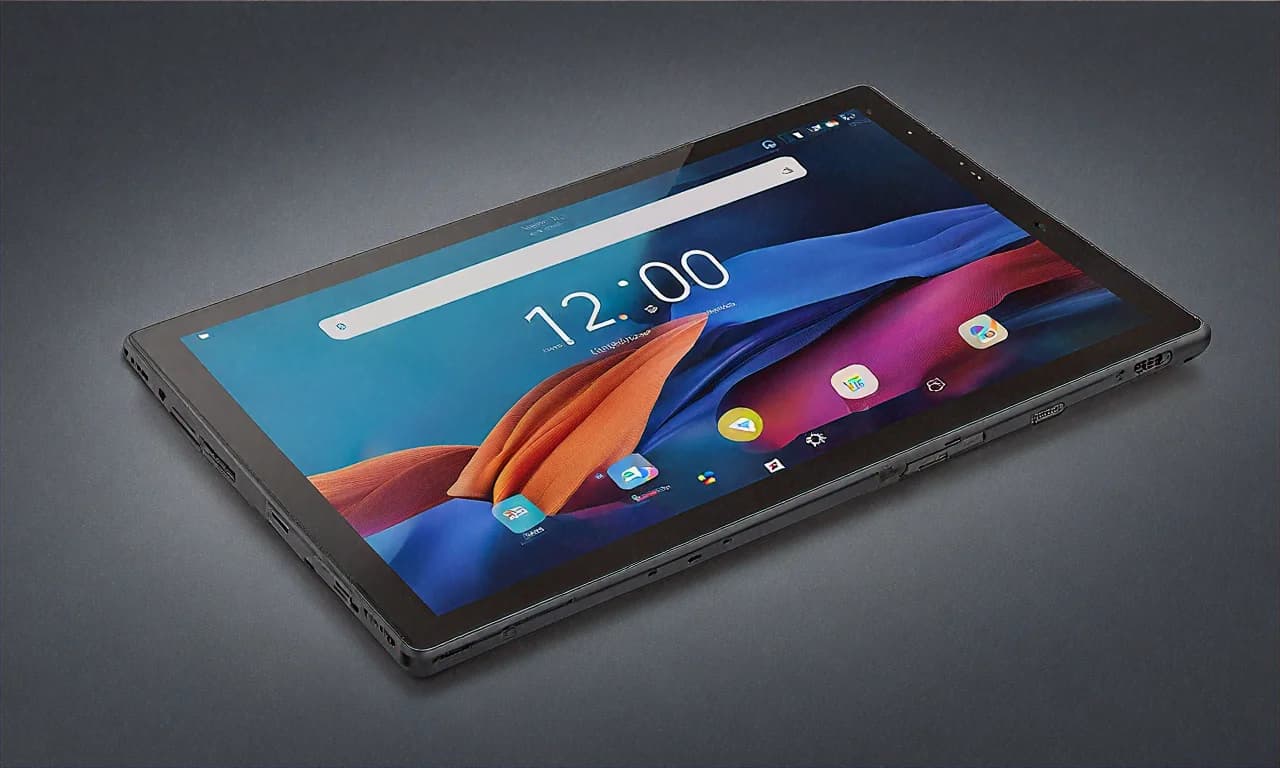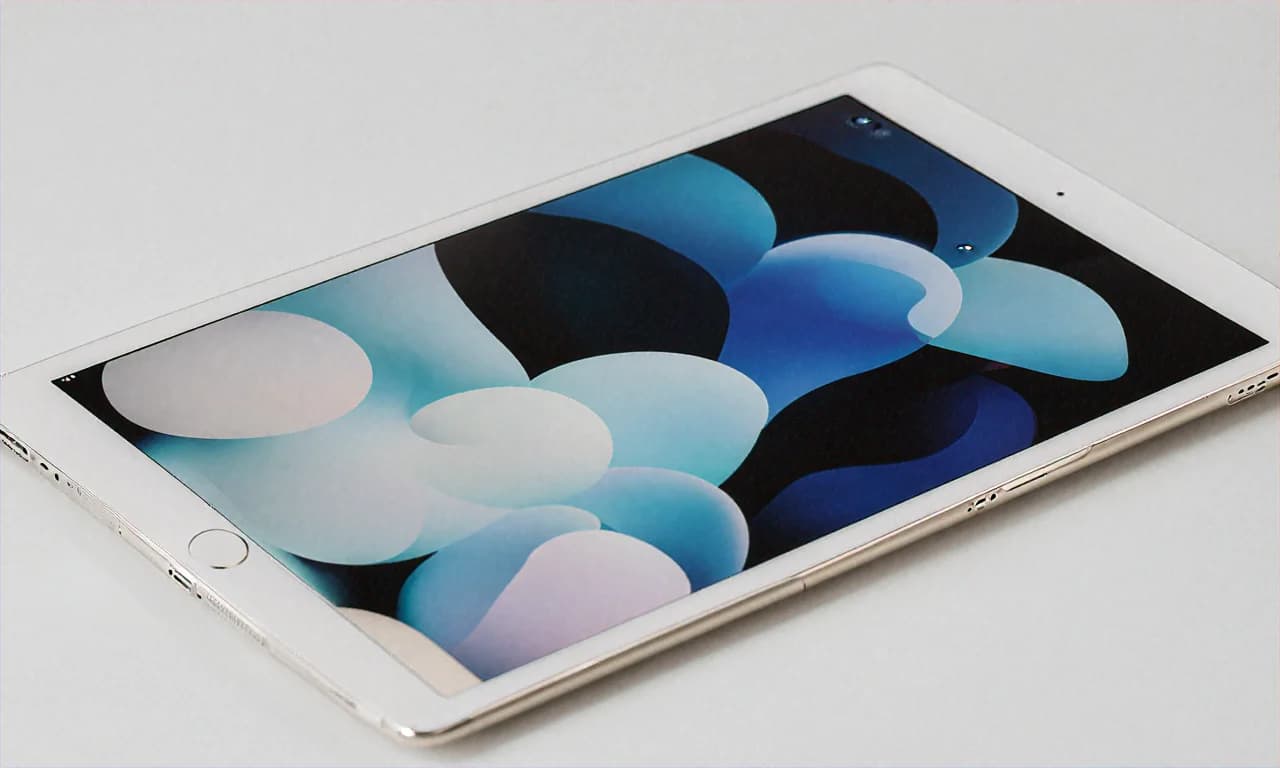
Why I Picked the iPad Air M3 Over the iPad Pro (And Why My Wallet Thanked Me)
Let me tell you about the most stressful purchase decision of my college life. Not which engineering branch to pick (CSE, obviously). Not which hostel to apply for. No — it was choosing between the iPad Air M3 and the iPad Pro M4 when I had a fixed budget from my parents and a very specific list of things I needed this tablet to do. I’m a third-year design student at NID Ahmedabad, and I’d been using a beat-up 2019 base iPad for the past two years. That thing served me well but it was starting to show its age. Apps crashing mid-project, the Apple Pencil 1 with its ridiculous Lightning charging situation, storage constantly full because 32GB is a joke for anyone doing actual creative work.
My parents agreed to fund a new tablet. Budget: ₹60,000 max. The iPad Pro M4 starts at ₹99,900. Not happening. The iPad Air M3 was sitting at ₹69,900 on the Apple Store. Still over budget. But then Amazon India had it listed at ₹57,999 during what I think was some random sale event — not even a big one like Great Indian Festival, just one of those quiet price drops that happen if you keep checking. At ₹57,999 I was well within budget. I ordered it that same night before the price could change back.
That was about four months ago. Here’s everything I’ve learned since.
The iPad Pro Temptation Was Real
I need to address this first because it was the hardest part of the decision. The iPad Pro M4 has things the Air doesn’t. ProMotion 120Hz display (the Air is stuck at 60Hz). The M4 chip which is faster. That gorgeous OLED screen with perfect blacks. Thunderbolt port. Thinner design somehow. Face ID on the newer models. If you’re reading spec sheets, the Pro wins on basically every line item.
But here’s what my brain kept coming back to: would I actually notice those differences in my daily use? I’m not a professional illustrator billing clients thousands of dollars per project. I’m a college student who uses Procreate for digital illustrations, Figma for UI/UX assignments, takes notes in GoodNotes, watches lectures on YouTube, and occasionally edits short videos in LumaFusion for my Instagram. Would the M4 chip make Procreate feel faster than the M3 for what I do? Probably not. Would 120Hz make my Apple Pencil strokes feel noticeably smoother? Maybe slightly, but I’d been using a 60Hz iPad for two years and never felt held back by it.
The OLED display thing was the hardest to let go of. I’ve seen the iPad Pro’s screen in the Apple Store at Select Citywalk in Delhi (I was visiting my cousin during Dussehra break) and it’s stunning. The blacks are BLACK. The contrast makes everything look more alive. But the iPad Air’s Liquid Retina display is really good too. The P3 wide colour gamut means colours are accurate for design work. True Tone adjusts to ambient lighting so it’s comfortable to look at for hours. It’s not OLED. But it’s still a very good screen.
I made myself a rule: if I couldn’t justify the ₹42,000 price difference with specific, daily use cases where the Pro would be meaningfully better, I’d go with the Air. I couldn’t justify it. So Air it was.
M3 Chip — Honestly More Power Than I Expected
The M3 chip is the same silicon that powers the MacBook Air. Let that sink in for a second. A proper laptop processor, in a tablet that weighs 462 grams. When I first set up the iPad Air and opened Procreate with a canvas at 4K resolution with 50+ layers, it didn’t flinch. No lag on brush strokes. No hesitation when I undo rapidly (I undo a LOT — my drawing process is basically draw-undo-draw-undo until something looks right). Zooming and rotating the canvas is butter smooth.
Figma in Safari works really well too. This surprised me because Figma on my old iPad was a stuttery mess with complex files. The M3 handles it without drama. I can work on our team projects with multiple artboards and components and the browser doesn’t choke. It’s not as good as Figma on a proper Mac — some advanced features are missing in the web version — but for reviewing designs, making quick edits, and presenting during critiques, it’s perfectly usable.
LumaFusion for video editing is where I notice the power most. I edit short reels for my design portfolio Instagram account. Nothing fancy — 30-60 second clips with transitions, text overlays, colour grading. On my old iPad this was painful. The M3 just eats through it. Preview renders in real time. Exporting a 1-minute 4K video takes about 40 seconds. I’m not editing feature films here but for the kind of content creation most college students and young creators do, the M3 is more than enough.
I’ve also started using Stage Manager which lets you use multiple apps in overlapping windows like a Mac desktop. I keep GoodNotes open with my lecture notes, Safari with reference material, and Procreate or Figma in the main window. Three apps running simultaneously and the M3 handles it without any visible performance drop. I’m not 100% sure the M4 in the Pro would feel any different for this workload. Maybe in two years when apps get heavier, the M4’s extra headroom will matter. But right now? The M3 does everything I throw at it.
The 11-Inch Display — Smaller Than I Wanted, Better Than I Expected
I’ll be honest, I was initially looking at the 13-inch iPad Air. More screen for drawing, more space for split view, closer to a laptop feel. But the 13-inch model was ₹79,900 on Amazon — over my budget even with the sale pricing. So I went with the 11-inch.
First week I kept thinking the screen was too small. Coming from seeing the 13-inch model in stores, the 11-inch felt cramped. I thought I’d made a mistake. But then something happened — I got used to it. And more than that, I started appreciating the portability. The 11-inch model fits in my college backpack without any special compartment or sleeve. It’s light enough (462 grams) that I forget it’s in my bag. I carry it to every class, every library session, every cafe study session without thinking about it. My friend Sneha has the 13-inch model and she told me she sometimes leaves it in the hostel because it’s annoying to carry around. What good is a bigger screen if you don’t have it with you?
For drawing in Procreate, the 11-inch screen is fine. Not luxurious, but fine. I zoom in more than I probably would on a larger screen. For note-taking, it’s actually great — the size is similar to a real notebook. For watching content, I sometimes wish it were bigger but then I just hold it a bit closer to my face and the problem solves itself. Honestly the screen size concern was way bigger in my head before I bought it than it turned out to be in practice.
The display quality itself is excellent. 2360 x 1640 resolution, P3 wide colour gamut, 500 nits brightness, True Tone. Colours look accurate — I’ve compared my Procreate illustrations on the iPad screen to how they look on a calibrated monitor in our college lab and the difference is minimal. The anti-reflective coating helps when I’m working in our hostel common room which has those horrible fluorescent lights that reflect off everything. Not as good as the nano-texture option Apple offers on the Pro, but for ₹57,999 I’m not complaining.
Apple Pencil Pro — This Is the Real Upgrade
If I’m being completely honest, the Apple Pencil Pro was one of the biggest reasons I wanted to upgrade from my old iPad. The first-gen Apple Pencil was fine for basic stuff but the charging situation (plugging it into the Lightning port where it sticks out like a weird antenna) was embarrassing, the lack of any gesture support was limiting, and it just felt outdated. The Apple Pencil Pro is a different thing entirely.
The squeeze gesture is my favourite feature. You squeeze the pencil and a tool palette pops up. Want to switch from brush to eraser to selection tool? Squeeze and tap. No reaching up to the toolbar. It sounds like a small thing but when you’re in a drawing flow state, not having to break your hand position to change tools keeps you in the zone. I use this constantly — probably 50+ times per drawing session.
The barrel roll feature is cool for certain brushes. When you rotate the pencil, flat brushes and calligraphy tools respond to the angle. It makes lettering work feel more natural, like using an actual flat-tip pen. I don’t use it as much as the squeeze gesture but when I do, it’s satisfying.
Haptic feedback is subtle but appreciated. You get a tiny vibration when you squeeze, confirming the action. You get a small tap when you snap to alignment guides. These little touches make the pencil feel more responsive, more alive. It’s hard to describe if you haven’t tried it — it’s like the difference between typing on a keyboard with mechanical switches versus a flat membrane keyboard. Technically both work but one just feels better.
And of course, magnetic attachment and wireless charging on the side of the iPad. Like it should have been from the start. No more losing the pencil. No more ridiculous Lightning charging. It just sticks there and charges. Done.
The Apple Pencil Pro costs ₹11,900 separately which is absurd for a stylus. But if you’re buying an iPad for creative work, you’re buying the pencil. There’s no way around it. Factor it into your budget. My total was ₹57,999 + ₹11,900 = ₹69,899. Right at my parents’ budget limit, but worth every rupee for what I use it for.
iPadOS — Mostly Good, Sometimes Annoying
iPadOS has gotten much better over the years but it still has quirks that annoy me. File management is weird. There’s a Files app that works okay for local files and iCloud Drive but navigating it doesn’t feel as natural as Finder on a Mac. Moving files between apps sometimes requires going through Files as an intermediary which adds unnecessary steps.
Safari is honestly good as a desktop-class browser now. Most websites load their full desktop versions. Figma works. Google Docs and Sheets work. Canvas (our college LMS) works. The occasions where I need to request a desktop site are rare. Two years ago this was a bigger problem.
The app situation is interesting. Some iPad apps are fantastic — Procreate, GoodNotes, LumaFusion, Affinity Designer, these are full-featured creative tools that take advantage of the hardware beautifully. But some apps are just blown-up iPhone versions. Instagram on iPad is still not a proper iPad app in 2025 which is frankly embarrassing for Meta. WhatsApp only recently got a proper iPad app and it’s still janky. This isn’t Apple’s fault exactly but it affects the experience.
Stage Manager works well enough on the 11-inch screen though it can feel cramped with more than two windows. On the 13-inch model I imagine it’s better. I use it mainly for having reference material open alongside my creative app rather than trying to replicate a full desktop multi-window setup.
College Life with the iPad Air
Here’s my typical day. I wake up, grab the iPad from my desk, toss it in my bag. First class at 9 AM — I open GoodNotes and take handwritten notes during the lecture. Our professor talks fast so I’ve developed this shorthand system with the Apple Pencil where I use colour codes — red for important points, blue for references, green for things to look up later. The pencil’s responsiveness makes this fast enough to keep up with the lecture.
Between classes, I’ll open Figma to work on whatever project is due. Our UI/UX course has us designing apps constantly. I sit in the campus cafe (the one near the main gate, the dosa there is surprisingly decent for a college canteen), iPad propped up on my bag, Apple Pencil in hand, and work through wireframes and mockups. The 11-inch screen is fine for this. Not ideal — I’d love more space — but fine.
Evenings in the hostel are for Procreate. I’ve been working on a personal illustration project — a series of digital paintings of Indian street scenes. Chandni Chowk lanes, Bangalore autorickshaws, Mumbai dabbawalas. The M3 chip handles layered compositions with textures and effects without stuttering. I’ve had files with 40+ layers at 3000x4000 resolution and Procreate doesn’t complain. On my old iPad these files would have been impossible.
Late night is YouTube and Netflix time. The speakers on the iPad Air are decent — not amazing, but good enough that I don’t always reach for my earbuds. The display looks gorgeous for streaming. Disney+ Hotstar during cricket season has been a particular joy on this screen. IPL matches in the hostel common room with five people crowded around my iPad became a regular thing last season.
What I Would Change
The 60Hz display. Look, I know I said I couldn’t justify the Pro’s price for 120Hz. And I stand by that financial decision. But when I use my friend’s iPad Pro or even when I scroll on my iPhone (which has ProMotion), I can see the difference. The Air’s 60Hz scrolling looks just a tiny bit less smooth. While drawing, the pencil-to-screen gap is marginally more noticeable at 60Hz. It doesn’t ruin the experience. But if Apple put 120Hz in the next iPad Air, I’d be very happy.
128GB base storage is tight. I went with the 128GB model because the 256GB was significantly more expensive and I was already at my budget limit. Four months in, I’ve used about 90GB. Procreate files, GoodNotes notebooks, downloaded lectures, cached Spotify music, a few movies. I’m managing by offloading stuff to iCloud regularly but I shouldn’t have to. In 2025, 256GB should be the base for any tablet that costs ₹57,999. Samsung gives you 256GB in the Galaxy Tab S9 FE+ at a lower price. Come on, Apple.
No Face ID. The iPad Air uses Touch ID in the power button. It works fine — fast, reliable, no complaints about the technology itself. But Face ID is just more convenient. You pick up the tablet and it’s already unlocked. With Touch ID I have to consciously place my finger on the button. Minor, but after using Face ID on my iPhone, going back to Touch ID feels like a small step backward.
Battery Life and Charging
Apple claims up to 10 hours of battery life and that’s roughly what I get. On a typical college day where I use the iPad for notes in two or three classes (about 3 hours total), some Procreate work in the evening (2 hours), casual browsing and YouTube (1-2 hours), I end the day with about 20-30% remaining. Plenty to get through a full day without charging. On heavy creative days where I’m drawing for 5-6 hours straight, the battery drops faster and I might need to plug in by evening.
USB-C charging at 30W is fast enough. From dead to full takes about two hours. From 20% to 80% takes maybe 50 minutes. I charge it overnight mostly and don’t think about it during the day. Coming from my old iPad with Lightning, the switch to USB-C is wonderful. I can charge my iPad, my Samsung earbuds, and my portable speaker all with the same cable. Small thing but it matters when you’re a college student with limited desk space and outlets.
The Money Question — Is ₹57,999 Worth It for a Student?
₹57,999 is a lot of money. I’m very aware of that. Most of my classmates are using tablets in the ₹20,000-35,000 range — OnePlus Pad, Samsung Tab S9 FE, Redmi Pad Pro. And those tablets are fine for notes and streaming. Genuinely fine. If your use case is taking handwritten notes and watching Netflix, you don’t need to spend ₹58K.
But if you’re doing creative work — if Procreate or similar apps are part of your daily life, if you need colour accuracy for design projects, if you want a stylus experience that feels professional rather than functional — the iPad Air M3 at this price is hard to beat. The Apple Pencil Pro alone is a generation ahead of anything available on Android tablets. And iPadOS has creative apps that simply don’t exist on Android. Procreate has no real equivalent. Nothing comes close.
For students specifically, check if Amazon India has the no-cost EMI option active. Spreading ₹57,999 across 9 months is roughly ₹6,500 per month which is more manageable. Also keep an eye on SBI and ICICI credit card offers — during the Amazon Great Indian Festival sale last year, SBI cards had an extra ₹3,000 off on Apple products. If you time it right and stack the card discount, you could get this under ₹55,000.
My parents asked me last month if I was happy with the purchase or if I wished I’d waited and saved up for the Pro. I told them the truth: the iPad Air M3 does everything I need it to do, it does it well, and the ₹42,000 I didn’t spend on the Pro is money that’s better used for other things. Like food. And the occasional movie at PVR. College priorities, you know?
Four months in, I don’t regret choosing the Air over the Pro. Not even a little bit. The M3 chip is powerful enough. The display is beautiful enough. The Apple Pencil Pro is the best stylus I’ve ever used. And at ₹57,999, it left enough room in my budget to actually buy the pencil separately without asking my parents for more money. That matters when you’re a student. Sometimes the smartest purchase isn’t the most expensive one.