I Bought the Realme Pad 2 at Rs 14,999 Expecting to Be Disappointed. I Was Wrong.
Let me tell you how this review started. I was at a friend's place in Bangalore — Koramangala, to be specific, one of those cafes where everyone pretends to be working on their startup — and his younger brother was using a tablet that caught my eye. The screen looked sharp, surprisingly sharp, and I assumed it was an iPad or at least a Samsung. When he told me it was the Realme Pad 2 and that he'd bought it for about fifteen thousand on Flipkart, I flat out didn't believe him. A 2K display on a tablet under fifteen grand? Come on. I had to see for myself.
So I ordered one that night. Flipkart had it at Rs 14,999, down from Rs 19,999 — a 25% discount. I figured if it was as good as it looked at the cafe, great. If not, Flipkart has a decent return policy. That was about five weeks ago. I haven't returned it. In fact, I've been using it almost daily, and I have some very strong opinions about it. Not all positive, by the way. But mostly positive. Let me explain.
The 2K Display — This Is Where Realme Punches Way Above Its Weight
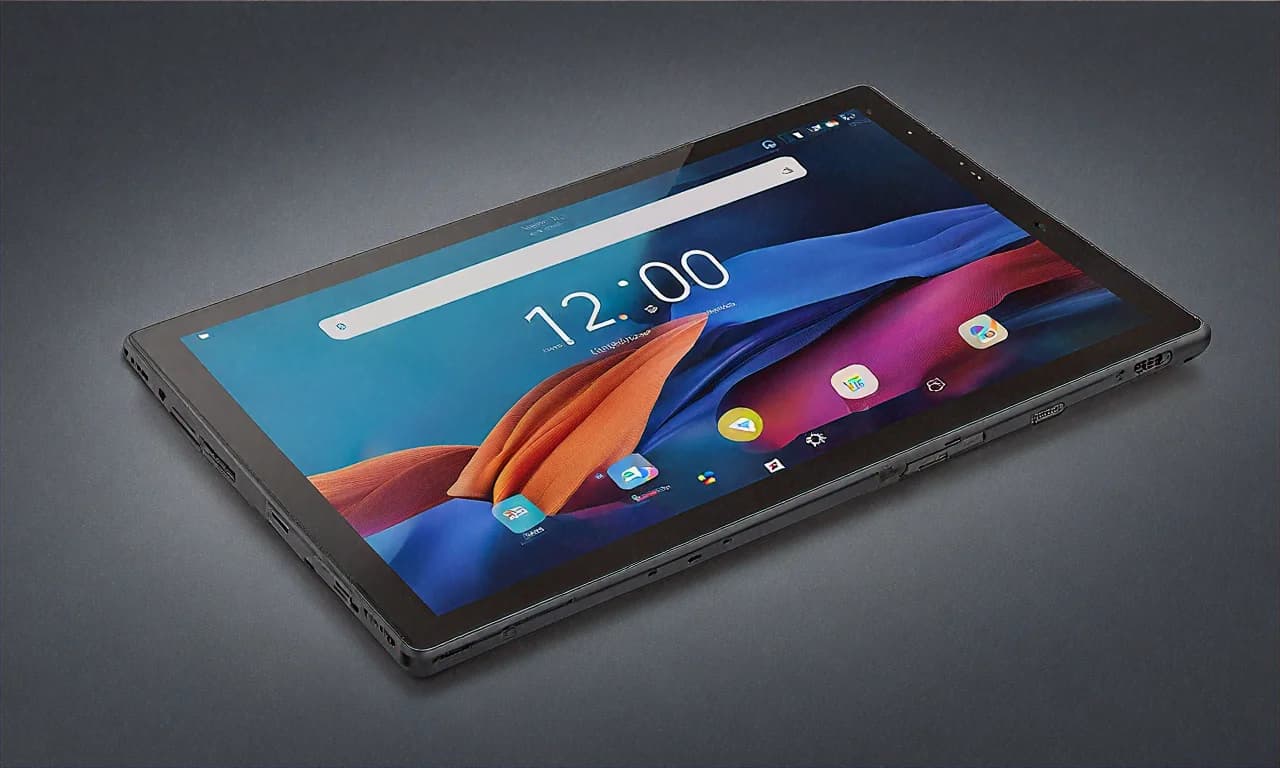
The display is the star of this tablet. Full stop. The 11.5-inch IPS LCD runs at 2000 x 1200 resolution, and at this price point, nothing else comes close. Let me put that in perspective for you. The Samsung Galaxy Tab A9+, which costs Rs 2,000 more, has a 1920 x 1200 resolution on a slightly smaller 11-inch screen. The Realme Pad 2 gives you more pixels on a bigger screen for less money. The maths is pretty straightforward here.
Text rendering is where you really notice the 2K resolution. If you read a lot on your tablet — ebooks, PDFs, news articles, research papers — the sharpness makes a genuine difference. I've been reading a lot of long-form articles on this thing (mostly during boring conference calls, don't tell my manager), and text looks clean and crisp even at smaller font sizes. For students who use tablets for studying, this matters a lot more than most spec sheets suggest.
Colors are... acceptable. I'll level with you. This is an IPS LCD, not AMOLED, and it's a budget device. Blacks look grey-ish, contrast isn't anything to write home about, and if you put this next to an iPad or even a Samsung Galaxy Tab S9 FE, you'll see the difference immediately. But the thing is — you're not going to use this tablet next to an iPad. You're going to use it on your bed in your hostel room, or on the sofa in your living room, and in that context, the display looks great. Good enough that you stop thinking about it and just enjoy whatever you're watching.
The Widevine L1 certification is something I want to highlight because a lot of budget tablets mess this up. L1 means you can stream Netflix and Amazon Prime Video in full HD quality. Without L1 certification, you're stuck at 480p on streaming apps, which looks terrible on an 11.5-inch screen. Some budget tablets from other brands — I won't name names, but you can probably guess — ship without L1 and their users only discover this after buying. Realme got this right, and it matters.
The one downside of the display is the 60Hz refresh rate. After using phones with 90Hz and 120Hz screens, going back to 60Hz feels sluggish during scrolling. It's not awful — we all used 60Hz screens for years without complaining — but in 2025, when even the Tab A9+ offers 90Hz, this feels like a compromise Realme shouldn't have made. I think they could have done 90Hz and still kept the price under fifteen grand. But they didn't. So here we are. It's noticeable when scrolling through social media, less so when watching videos.
MediaTek Helio G99 — The Budget Champion Nobody Talks About
The Helio G99 is one of those chips that never gets any hype but quietly does its job in dozens of affordable devices. You've seen it in the Redmi Note 12, the Poco M6 Pro, the iQOO Z7 — basically every budget device that works well. And it works well here too.
Day-to-day usage is smooth. I mean for-real smooth, not "smooth for a budget device" with an asterisk. Opening apps, switching between apps, browsing with multiple Chrome tabs, scrolling through Instagram and Twitter — all of it works without any stutter or lag that would annoy you. I've been using this as my "couch tablet" for five weeks now, and not once has it frustrated me with slow performance during normal use.
But let me give you the full picture. 4GB of RAM is the limitation here. If you're someone who keeps fifteen apps open and switches between all of them constantly, you'll notice apps reloading in the background. It happened to me a couple of times — I'd be reading an article in Chrome, switch to WhatsApp to reply to a message, check something on Amazon, and when I went back to Chrome, the page had to reload. Not the end of the world, but it's a reminder that you're using a budget device.
Gaming. I'll be straight with you. The Helio G99 handles casual games perfectly — Subway Surfers, Candy Crush, Ludo King, all the stuff you play to kill time. Even slightly more demanding games like Asphalt 9 run at low-to-medium settings. But if you want to play BGMI or Free Fire at high graphics, this isn't your tablet. The Helio G99 will run those games, but you'll be on low settings with occasional frame drops, and on an 11.5-inch screen, low-quality textures are more noticeable than on a phone screen. For gaming, look at the Xiaomi Pad 7 or save up for the OnePlus Pad 2.
Now, the storage situation is actually one of my favorite things about this tablet. 128GB out of the box at under Rs 15,000. Samsung gives you 64GB on the Tab A9+ at a higher price. 128GB means you can download a decent library of Netflix shows for offline viewing, install all your apps, store photos, documents, whatever, and still have space left over. Plus there's a microSD slot that goes up to 1TB. The storage on this device is genuinely generous for the price.
Battery Life — This Thing Just Doesn't Die
8,360mAh. That's a massive battery for any tablet, let alone a budget one. And it delivers exactly what you'd expect from a battery that size — all-day battery life without even trying.
My typical usage involves about 2-3 hours of video streaming, an hour or two of browsing, some casual app usage scattered throughout the day, and maybe 30 minutes of Kindle reading before bed. With this kind of mixed usage, I end the day at around 35-40% battery. That means I could technically go almost two days on a single charge if I was using it lightly. For students, this is massive. Charge it on Sunday night and it'll last through Monday and Tuesday's classes without breaking a sweat.
And when you do need to charge, the 33W fast charging is a welcome surprise at this price. This is faster than what Samsung offers on the Tab A9+ (which charges at a painfully slow 15W). From zero to 50% takes about 45 minutes, and a full charge is done in roughly an hour and forty minutes. That's reasonable. Not mind-blowing, but considering the battery size, it's pretty good. You can plug it in while having dinner and it'll be ready for your post-dinner Netflix binge.
One thing I've noticed — and this might be specific to my unit — is that the battery drains slightly faster when the tablet is on standby compared to my Samsung devices. It's not dramatic, maybe 3-4% overnight, but Samsung devices typically lose only 1-2% on standby. It's a minor thing, and given the overall battery life, it doesn't really affect the real-world experience.
Build Quality — Metal Back at a Plastic Price
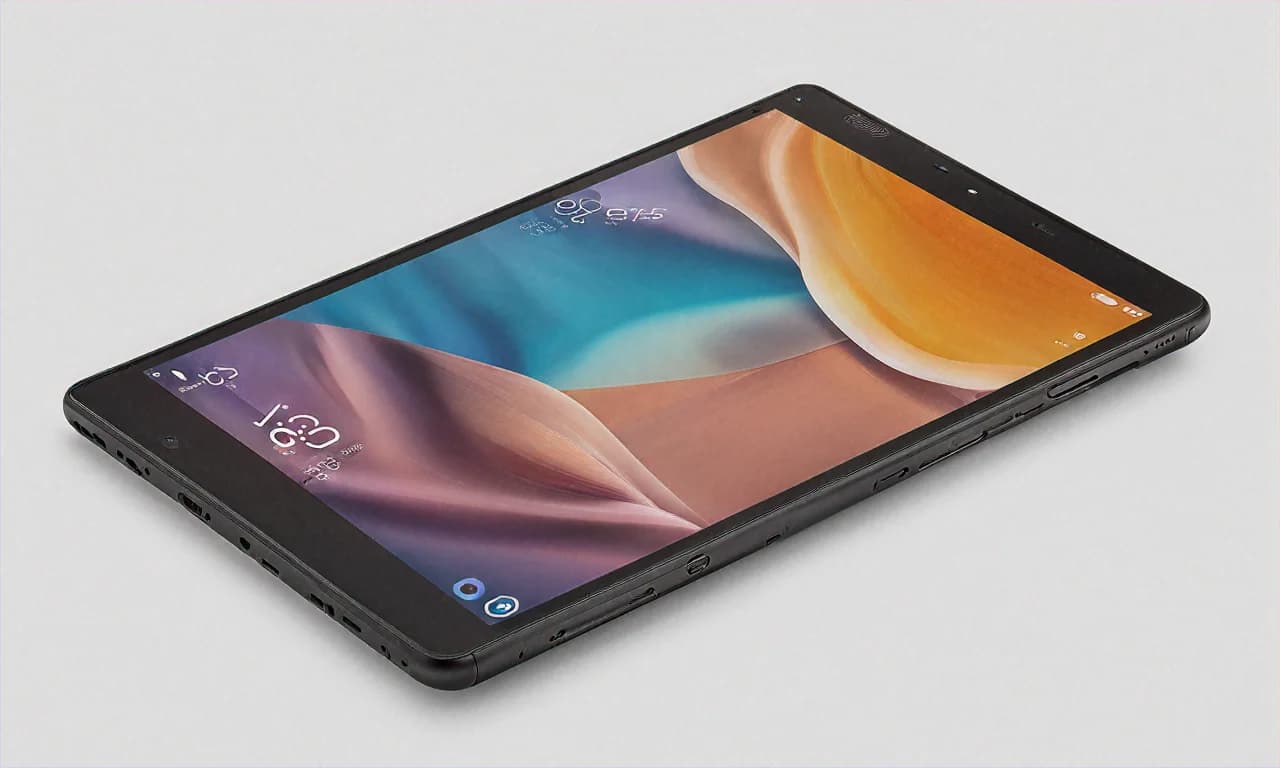
I really appreciate that Realme put an aluminium back on this tablet. At Rs 14,999, nobody would have complained if they'd used plastic. But the metal back gives the Pad 2 a sense of quality that you just don't expect at this price. When you pick it up, it feels solid. The Imagination Grey color on my unit looks understated and mature — it doesn't scream "budget device" the way some flashy colored tablets do.
At 7.02mm thin and 507 grams, it's reasonably slim and light. I can hold it in one hand for short periods, though for extended use you'll want to prop it up against something or use a stand. Speaking of which, Realme sells a magnetic keyboard case separately, but at around Rs 4,000-5,000, it costs a third of the tablet's price. Hard to justify that. I bought a generic tablet stand from Amazon for Rs 399 and it works just fine.
The build isn't perfect though. The screen wobbles slightly when you tap on it while it's lying flat on a table. The bezels are thick — not iPad-mini-from-2012 thick, but definitely noticeable in 2025. And there's no IP rating for dust or water resistance, so be careful around the kitchen or bathroom. None of these are unusual for the price, but I want to set expectations correctly.
Software — Good Enough, With a Caveat
The Realme Pad 2 runs Realme UI for Pad based on Android 13. Not Android 14, not the latest version. Android 13. In early 2025. Let that sink in for a moment. While Samsung is shipping Android 14 on their budget tablets, Realme is still on 13. And to be fair, for day-to-day usage, you won't notice the difference — Android 13 is perfectly functional and Realme's tablet UI is clean and easy to use. But it's the principle of the thing, and more importantly, it raises questions about future updates.
Realme's track record with software updates is, putting it politely, not great. Samsung commits to two OS updates and four years of security patches on the Tab A9+. Realme? They've promised updates for the Pad 2, but there's no specific commitment on how many OS versions you'll get or for how long. My bet, based on how Realme has handled previous devices, is that you'll get Android 14 at some point (maybe by the time you read this, if you're lucky) and possibly Android 15. Beyond that, don't hold your breath. If long-term software support is a priority for you, this is a genuine disadvantage compared to Samsung.
What Realme UI does well is stay out of your way. It's relatively clean, without too much bloatware — though there are some pre-installed apps you'll want to remove. The split-screen multitasking works, floating windows work, and the overall interface is intuitive. There's no dedicated kids mode like Samsung offers, which is a miss for a device that many families will buy. You can set up restricted profiles through Android's built-in features, but it's not as polished as Samsung Kids.
Cameras — They Exist, and That's About It
8MP rear, 5MP front. The rear camera is fine for scanning documents and whiteboards. That's literally the only thing I've used it for. Don't take photos with a tablet at a restaurant. Don't take photos with a tablet at a tourist spot. Just don't. The front camera handles video calls on Zoom and Google Meet without making you look like a potato, which is all anyone should ask from a tablet camera.
The Flipkart Deal — What You're Actually Paying
Let me break down the pricing because this is where it gets interesting, especially if you're smart about it. The listed MRP is Rs 19,999. Flipkart's selling price right now is Rs 14,999. That's Rs 5,000 off, or 25%. Good start.
If you have an SBI credit card — and a lot of people in India do, SBI is like the BSNL of banking, it's everywhere — you get an additional Rs 750 instant discount on EMI transactions. So your price drops to Rs 14,249. If you have a Flipkart Axis Bank card, you earn 5% unlimited cashback, which would be about Rs 750 back. That's another discount bringing the effective price to around Rs 13,500-14,000 depending on which bank offer you use.
The exchange program is where you can save the most. Flipkart is offering up to Rs 8,100 for old devices. Now, "up to" is doing a lot of heavy lifting in that sentence — you'll probably get Rs 3,000-5,000 for most old tablets or phones in decent condition. But even at Rs 3,000 exchange value, your effective price drops to about Rs 11,999 or lower with the bank offers. Under twelve thousand for a 2K display tablet with 128GB storage. That's absurdly good.
No-cost EMI is available at Rs 5,000 per month for 3 months. For college students who get a monthly allowance or for people who don't want to drop fifteen grand in one shot, this spreads the cost out nicely. No interest, no hidden charges (I checked the fine print because I trust no one).
If you're buying during a Flipkart sale event — Big Billion Days, Republic Day sale, or any of those random mid-month sales they keep doing — the price might drop even further to Rs 12,999 or Rs 13,999. But at Rs 14,999, I wouldn't wait for a sale. The current discount is already substantial, and stock on popular budget tablets tends to fluctuate unpredictably.
Realme Pad 2 vs Samsung Galaxy Tab A9+ — The Obvious Comparison
I know you're thinking about it, so let me address it directly. The Samsung Galaxy Tab A9+ costs Rs 16,999 on Amazon. The Realme Pad 2 costs Rs 14,999 on Flipkart. Rs 2,000 difference. What do you get for that difference?
Samsung gives you: 90Hz display (vs 60Hz), better software update commitment, Samsung Kids mode, Samsung Knox security, and the Samsung brand name with its extensive service network across India. Realme gives you: larger and sharper 2K display (vs FHD+), double the storage at 128GB (vs 64GB), much faster 33W charging (vs 15W), and a bigger 8,360mAh battery (vs 7,040mAh).
It really comes down to what matters more to you. If you prioritize smooth scrolling, long-term updates, and brand trust, spend the extra two thousand on the Samsung. If you prioritize screen sharpness, storage, battery life, and fast charging, save the money and go with the Realme. Neither is a wrong choice. They're both solid tablets at different points of the value equation.
For what it's worth, I'd recommend the Realme Pad 2 to college students and the Samsung Tab A9+ to families with kids. Students care about screen quality, storage, and battery life — they'll fill up 64GB in a semester. Families care about parental controls, software support, and having a Samsung service center nearby in case something goes wrong. Your priorities should guide your choice, not some arbitrary "best tablet under Rs 20,000" ranking.
Little Things I Noticed After Five Weeks of Use
The screen picks up fingerprints like crazy. I mean, all tablets do, but this one seems particularly bad. I wipe it down at least once a day. A matte screen protector would probably help, but I haven't bought one yet because I'm lazy.
The speaker quality is decent but not amazing. There are quad speakers with Dolby Atmos, and they sound okay for casual use. But they don't match the Samsung Tab A9+'s speakers, which are noticeably richer and louder. If audio quality matters to you — and it should, if you're watching a lot of content without headphones — this is another point for Samsung.
There's a slight delay when waking the tablet from sleep. Like, half a second where the screen is on but not responsive to touch. It's a tiny thing, and maybe it's just my unit, but I notice it every time. Doesn't affect my usage, just one of those small things that you observe when you use a device daily.
The positioning of the charging port is at the bottom when held in portrait mode, which means you can't comfortably charge it while it's standing upright in a stand. You either need to charge it lying down or in landscape mode. Minor inconvenience, but I wanted to mention it because someone will be annoyed by it.
So Who Exactly Should Buy This Thing?
College students. Hands down, this is the best tablet for college students in India right now. The 2K display is great for reading, 128GB storage means you won't be constantly deleting stuff to make room, the battery lasts all day, and the price with student budgets in mind is right where it needs to be. If you're heading to college in Delhi, Mumbai, Pune, Hyderabad, wherever — and you need a tablet for notes, online lectures, entertainment, and light productivity — the Realme Pad 2 at Rs 14,999 is your best option.
Work-from-home professionals who need a secondary screen for video calls and reading documents — this works well for that too. It's not going to replace your laptop, but as a companion device that sits on your desk for Slack notifications and reference material, it's perfectly functional.
People who just want a big-screen entertainment device for the bedroom. No shame in that. I use mine primarily for YouTube and reading before bed, and for that specific use case, it's perfect.
Don't buy this if you need a tablet that'll get four years of updates. Don't buy this for serious gaming. Don't buy this if you need a kids tablet with strong parental controls — the Samsung is better for that. And don't buy this expecting it to replace a laptop for productivity work. It won't. It's a media consumption and light-use device, and it's excellent at being exactly that.
Five weeks in, I'm still reaching for the Realme Pad 2 every evening. That friend's brother in Koramangala was right. For the price, there's really nothing that matches the combination of screen quality, storage, and battery life that this tablet offers. Realme doesn't always get things right — their software updates need serious improvement — but with the Pad 2, they built a budget tablet that makes you forget it's a budget tablet. And at Rs 14,999 on Flipkart right now, that's a very easy recommendation to make.