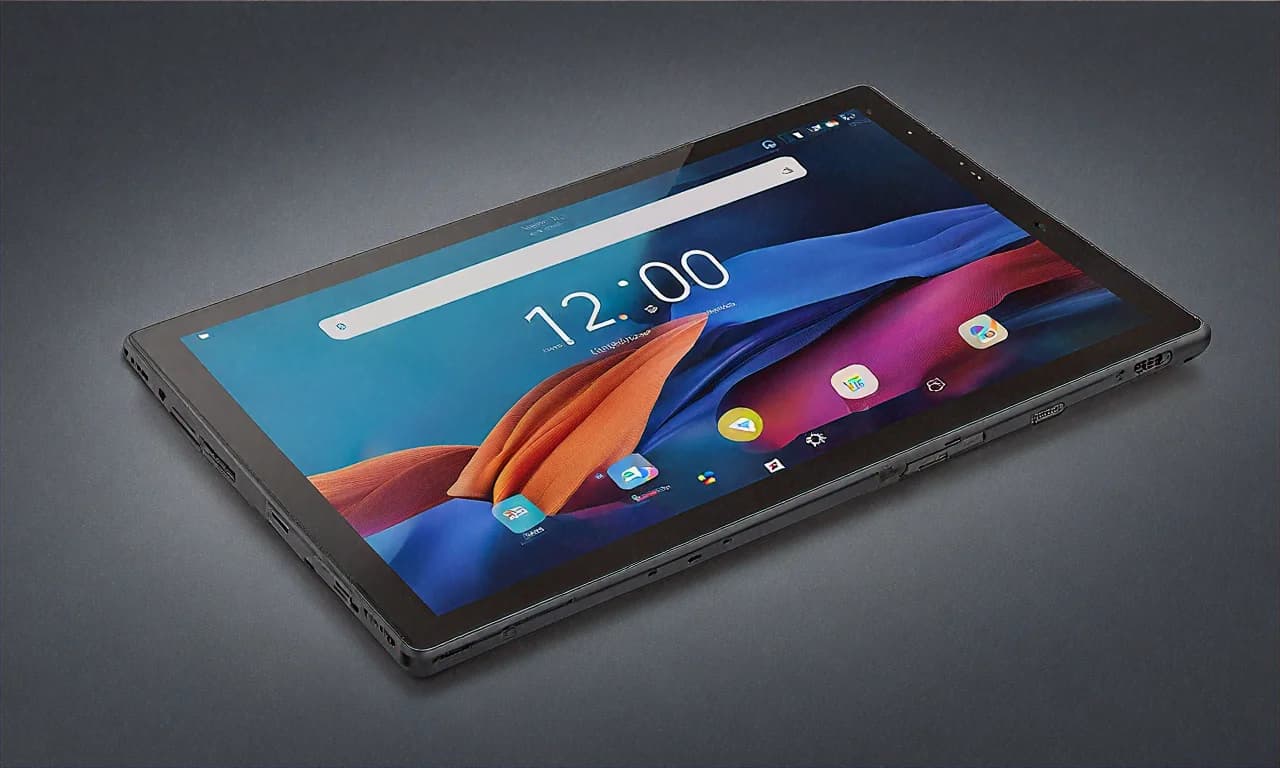
I Sold My Laptop and Bought the Samsung Galaxy Tab S10 Ultra. Here's What Happened.
Okay so this is going to be a long one. Grab chai or coffee or whatever gets you through long reads because I have a lot to say about this tablet. I bought the Samsung Galaxy Tab S10 Ultra about six weeks ago from Amazon India during one of those random Tuesday sales where the price dropped from ₹1,22,999 to ₹96,999. I wasn't planning on it. I'd been eyeing it for months, sure, but I kept telling myself "next month, next month." Then my three-year-old HP Pavilion decided to crash mid-presentation at work, the screen started flickering like a Diwali sparkler, and I figured the universe was sending me a sign.
But here's the thing — I didn't just buy a tablet to use alongside my laptop. I sold the laptop. Completely. Put it up on OLX, got ₹18,000 for it (which felt criminal but whatever, the screen was half-dead), and decided to go full tablet-only for my work and personal use. People thought I was crazy. My colleague Ravi literally said "bhai tu pagal hai kya" when I told him. Six weeks later? I'm writing this review on the Tab S10 Ultra itself, using DeX mode with a Bluetooth keyboard, and I have zero regrets. Well. Almost zero. But we'll get there.
Why I Even Considered Replacing a Laptop with a Tablet
Some context about what I do. I work in digital marketing for a mid-size firm in Bangalore. My daily work involves Google Sheets, Slides, a lot of email, Slack, the occasional Canva design, and writing — blog posts, ad copy, reports. I don't code. I don't do heavy video editing. I don't run local servers or compile software. Basically, 95% of my work happens in a browser or a lightweight app. When I really thought about it, my laptop was massively overpowered for what I actually did with it. I was carrying around 1.8 kilos of aluminum and plastic to basically use Google Chrome and Microsoft Word.
The other factor was commute. I take the metro from Indiranagar to my office near Whitefield. That's roughly 45 minutes each way depending on how packed it is. My laptop bag was killing my shoulder. I'd tried one of those fancy ergonomic backpacks — still uncomfortable after standing for 40 minutes on a crowded metro. The idea of carrying something lighter, something I could actually pull out and use while standing on the metro... that was appealing.
I'd been reading about people using iPads as laptop replacements for years. But I'm an Android person. My phone is a Samsung Galaxy S24, my TV is a Samsung, my watch is a Galaxy Watch. The whole Samsung thing actually works pretty well when you're all-in. So when Samsung announced the Tab S10 Ultra with the Dimensity 9300+ and that absurd 14.6-inch screen, I started seriously thinking about it.
The Amazon Purchase and Unboxing
The Amazon India deal was ₹96,999 for the 12GB RAM, 256GB storage variant in Graphite. There was an additional ₹3,000 instant discount with HDFC credit cards which brought it down to ₹93,999 effectively. I also had some Amazon Pay balance from returning a defective power bank last month, so my final out-of-pocket was around ₹92,500. Not cheap by any stretch. That's a solid mid-range laptop price. But I was committed to this experiment.
Delivery took two days. Amazon's packaging was good — double boxed with bubble wrap. The tablet box itself is massive. Like, I knew it was a 14.6-inch screen but holding the box made it feel real. This thing is BIG. The S Pen was inside the box, which I appreciated because Samsung has this annoying habit of sometimes selling accessories separately for things that should obviously come included.
First impression holding it? Heavy. Not unbearably heavy, but at 718 grams you definitely notice the weight. It's lighter than any laptop, sure, but it's heavier than you expect a tablet to be. I picked up my friend's iPad Air once and it felt like holding a magazine. The Tab S10 Ultra feels like holding a small tray. That said, the build quality is fantastic. The Armour Aluminium frame feels premium. No flex, no creaking. The screen... man. The screen.
That 14.6-Inch AMOLED Display Is Something Else
I've seen a lot of screens in my life. Phone screens, laptop screens, TV screens, monitor screens. The Tab S10 Ultra's display is genuinely one of the best I've ever looked at on a portable device. It's a 14.6-inch Dynamic AMOLED 2X panel running at 2960 x 1848 resolution with a 120Hz refresh rate. The colours are vivid without being oversaturated (in the Natural colour mode at least — the Vivid mode is a bit much for my taste). The blacks are true blacks because it's AMOLED, so watching movies at night in bed is incredible. There's no backlight bleed, no grey-ish blacks. Just pure darkness where darkness should be.
I watched the whole of Jawan on this screen one Saturday night. Full screen, lights off, lying in bed. It was better than my actual TV viewing experience because the tablet was closer to my face and the AMOLED contrast was just superior to my Samsung TV's LED panel. The HDR10+ support kicked in and the Mumbai night scenes in the movie looked phenomenal. Rich deep shadows with highlights that popped without looking blown out.
For work, the screen size is a genuine advantage. In DeX mode, I can have a Google Sheet open on one side and Slack on the other and both windows are actually usable. Not cramped little strips like you get when you try split screen on a 10-inch tablet. Proper, usable, readable windows. This was the thing that made the laptop replacement actually viable. On a smaller tablet, split screen productivity is more of a marketing bullet point than a real feature. On 14.6 inches? It actually works.
One thing I wasn't expecting — the anti-reflective coating on this screen is quite good. I work from a cafe near Koramangala sometimes (shoutout to Third Wave Coffee, their filter coffee is addictive) and the screen stays readable even near the window. Not perfect in direct sunlight, but what screen is?
DeX Mode — This Is What Makes Laptop Replacement Possible
Let me be honest. Without DeX mode, there is absolutely no way I could use this tablet as a laptop replacement. The regular Android tablet interface is fine for media consumption and casual use, but for actual work? You need a desktop-like environment. And Samsung DeX delivers that surprisingly well.
For those who don't know, DeX basically turns your tablet into something that looks and feels like a desktop computer. You get a taskbar at the bottom, resizable windows that you can overlap and arrange however you want, right-click context menus, and keyboard shortcuts that actually work. It's not Windows. It's not macOS. But it's close enough for the kind of work I do.
I bought the official Samsung Book Cover Keyboard separately for ₹21,999 which yes, is stupidly expensive for a keyboard case. That's my biggest complaint honestly. You're already paying ₹97K for the tablet and then Samsung wants another ₹22K for the keyboard? That brings your total to ₹1,18,000+ which is firmly in premium laptop territory. You could get a pretty decent MacBook Air for that money. But I'd already committed to this path so I bought it.
The keyboard itself is actually really good though. The keys have decent travel, the trackpad is responsive (not MacBook level but genuinely usable), and the whole thing doubles as a protective cover. The magnetic attachment to the tablet is strong — I've carried it by the keyboard flap and the tablet stayed put. Typing this entire review on it and my fingers are comfortable after about 2000 words so far.
In DeX, I typically have Chrome open with multiple tabs, Google Sheets in one window, Slack in another, and sometimes Canva or Samsung Notes with the S Pen for sketching out campaign ideas. Everything runs smoothly. The Dimensity 9300+ handles multitasking without breaking a sweat. I've had maybe two instances in six weeks where an app stuttered briefly, and both times it was Canva loading a particularly heavy design with lots of elements. For everything else — browsing, email, Sheets, Docs, Slack, video calls on Google Meet — it's as smooth as any laptop I've used.
The S Pen — Genuinely Useful, Not Just a Gimmick
I'll admit I thought the S Pen would be one of those things I'd use for a week and then forget about. Previous stylus experiences had been underwhelming. But the S Pen on the Tab S10 Ultra has become something I use daily and I'm a little surprised by that.
The main use case for me is annotating screenshots and documents. When a client sends over a design mockup for approval, instead of typing out "move the logo 2cm to the left and make the headline bigger," I just screenshot it, pull out the S Pen, circle the elements I'm talking about, draw arrows, and scribble notes directly on the image. Then I share it on Slack. It takes about 30 seconds and communicates more clearly than three paragraphs of text ever could.
The other use case is handwritten notes in meetings. I know this sounds old-fashioned but there's something about handwriting notes that helps me remember things better. Samsung Notes converts my handwriting to text automatically (with reasonable accuracy — it struggles with my Hindi words written in English but gets pure English right most of the time) and syncs across my Samsung devices. So I take notes with the S Pen during a client call and they show up on my phone later for reference.
Latency is very low. Not zero — if you're a professional artist you'd probably notice the slight delay compared to an Apple Pencil on an iPad Pro. But for note-taking and annotation it feels responsive enough that I never think about it. The pen magnetically attaches to the back of the tablet for charging and storage, and I've only had it fall off once when I shoved the tablet into my bag carelessly.
Battery Life — Good Enough, Not Great
The 11,200mAh battery is large on paper. In practice, I get about 8-9 hours of actual use in DeX mode with the keyboard connected, screen brightness at about 50%, and Wi-Fi on. That's with my typical workday usage — browsing, documents, Slack, occasional video call. If I'm watching video content, it stretches to maybe 10-11 hours.
Is that enough? For me, mostly yes. I charge it overnight and it gets me through a full workday. On days when I have a lot of video calls (Google Meet absolutely murders the battery), I need to top it up in the afternoon. The 45W fast charging helps here — I can get from 20% to about 60% in roughly 40 minutes. Not the fastest charging ever but acceptable.
The thing is, compared to my old laptop which could barely manage 4 hours on battery, this feels like an upgrade. But compared to what some people expect from a tablet... 8-9 hours of productivity use isn't spectacular. The iPad Air M3 gets similar battery life in a much smaller, lighter package, for what it's worth.
What I Miss About Having a Laptop
I said almost zero regrets earlier. Here's the "almost" part.
File management on Android is still annoying compared to Windows or macOS. The Files app works but it's not as intuitive. Downloading something from Chrome and then finding it to attach to an email sometimes involves more taps than it should. I've gotten used to it but it was frustrating in the first two weeks.
Some websites still don't play nice with tablet browsers. I've encountered a few tools we use at work — one particular analytics dashboard — that clearly was designed only for desktop browsers and the mobile version is borderline unusable. Requesting desktop site in Chrome usually fixes this but not always.
Printing. Printing is weirdly harder from a tablet than from a laptop. Our office has a Canon printer that connected to my old laptop without any drama. Getting it to work with the Tab S10 Ultra required installing the Samsung Print Service plugin and even then it's finicky. I print maybe twice a month so it's not a dealbreaker but it's an annoyance.
And then there's the perception issue. I've been in client meetings where I pull out the tablet and keyboard and people give me a look. Like I'm not serious about work because I'm not using a "real computer." This is a very Indian corporate culture thing I think — there's still a bias toward traditional laptops as "professional" devices. Nobody's said anything directly but I've noticed the looks. My work output hasn't changed at all. If anything it's improved because I'm less fatigued from carrying a heavy laptop around. But perceptions are perceptions.
The Metro Commute — Where the Tablet Actually Wins
Remember I mentioned the Bangalore metro commute? This is honestly where the Tab S10 Ultra has made the biggest quality-of-life improvement. The tablet without the keyboard weighs 718 grams. My old laptop with charger weighed about 2.3 kilos. That's a 1.5 kilo difference that my shoulder notices every single day.
On the metro, when I'm standing and holding a handle with one hand, I can hold the tablet with the other hand and read articles, reply to quick Slack messages, or scroll through emails. Try doing that with a laptop. I've even done light document editing one-handed with the S Pen while standing on the metro. It looks ridiculous — this guy holding a 14.6-inch tablet in one hand and scribbling on it with the other — but it works.
When I get a seat, the keyboard cover folds into a stand and I have a proper working setup in seconds. No waiting for a laptop to boot up. The tablet is always on, always ready. I tap the screen, it wakes up, I'm back where I left off. I've genuinely started being productive during my commute in a way I never was with the laptop.
Should You Buy It at ₹96,999?
That depends heavily on what you want from a tablet. If you want a media consumption device, this is the best Android tablet you can buy. That screen with good speakers (four speakers, Dolby Atmos, they sound great) makes everything from YouTube to Netflix look and sound fantastic. But it's overkill for that purpose — you could get a regular Tab S10 or even the Tab S9 FE for much less.
If you're considering the laptop replacement route like I did, then the value proposition makes more sense. ₹96,999 plus the keyboard (₹21,999) puts you at about ₹1,19,000 total. An equivalent laptop with a great screen, solid performance, and good build quality would cost similar. The trade-off is that you get a more portable device with a touchscreen and S Pen but lose some desktop software compatibility and file management ease.
For students — and I say this because my cousin who's doing his MBA at IIMB was asking me about this — it's genuinely a good option if your work is primarily note-taking, presentations, browsing, and document editing. The S Pen for notes is a real advantage and the screen is massive enough for split-view studying. But ₹96,999 is a lot for a student budget. Keep an eye on the Amazon Great Indian Festival sale or Republic Day sale — Samsung tablets usually get additional discounts during those events. And stack it with the SBI or ICICI card offers for another ₹2,000-4,000 off.
I'm not going to pretend this tablet is perfect or that everyone should replace their laptop with one. It worked for my specific use case. Your mileage will absolutely vary depending on what software you need and how much you value traditional desktop workflows. But I can tell you that after six weeks of using the Samsung Galaxy Tab S10 Ultra as my primary and only computer, I don't miss my laptop. The screen is gorgeous, the performance is excellent, and the portability improvement changed how I work during my commute. That's worth something to me.
If you catch it at ₹96,999 on Amazon India with the HDFC discount bringing it under ₹94K, that's a fair price for what you're getting. Not a steal — Samsung tablets are never cheap — but fair. Just budget for the keyboard if you're serious about productivity. Without it, this is just a very large, very expensive tablet. With it, it's something more.